Event Agenda
View the event schedule, explore individual sessions, and set reminders so you never miss a talk or workshop.
Prerequisites
- Opened an event via Event Details
Viewing the Agenda
Tap the Agenda tab on the event detail screen to see the full schedule organized by day and time slots.
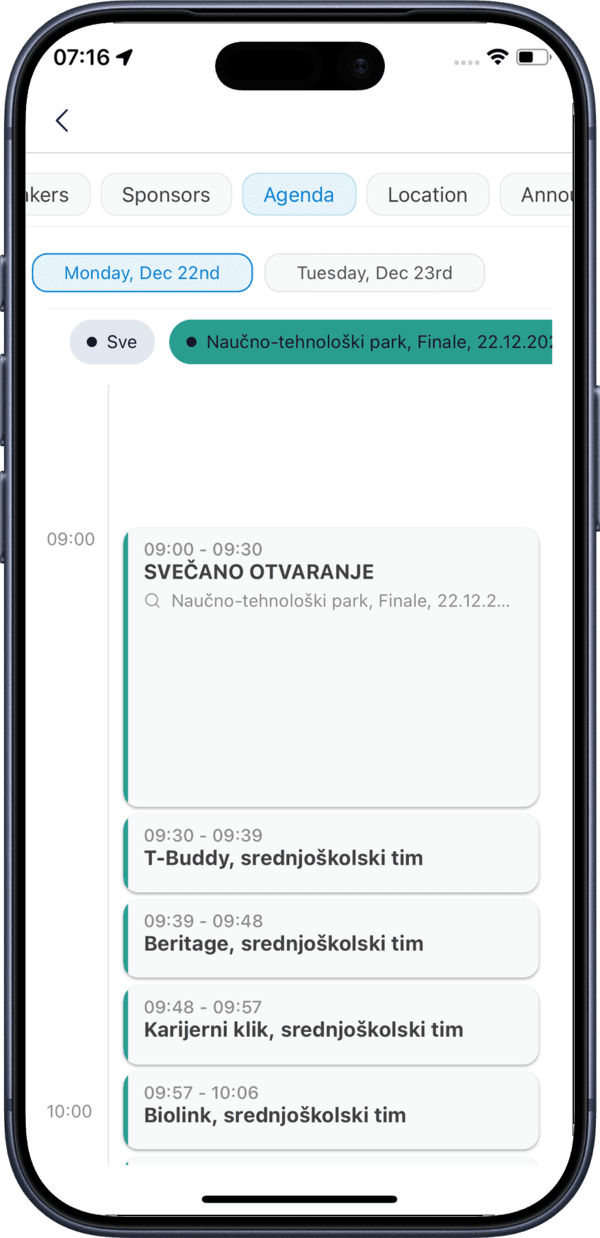
The agenda lists all sessions grouped by time. Each session card shows the session title, time, room, and speakers.
Session Details
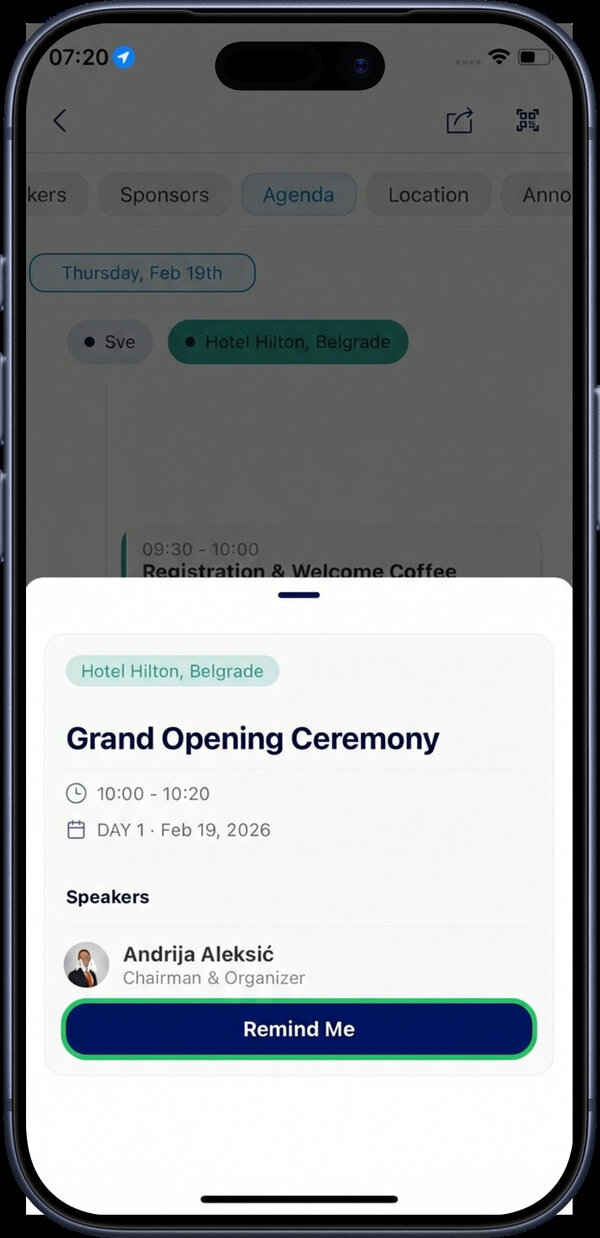
Tap on any individual session card to see detailed information including the full description, speakers, and moderators participating in that session.
Setting a Reminder
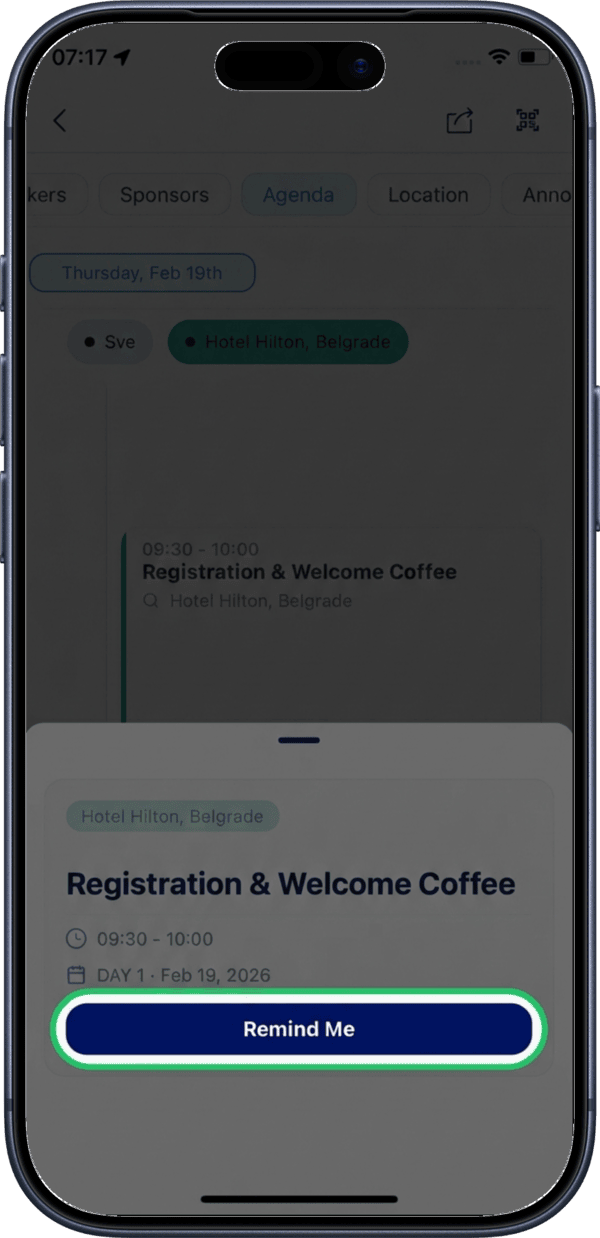
Tap the Remind Me button on a session card to receive a notification 10 minutes before the session starts.
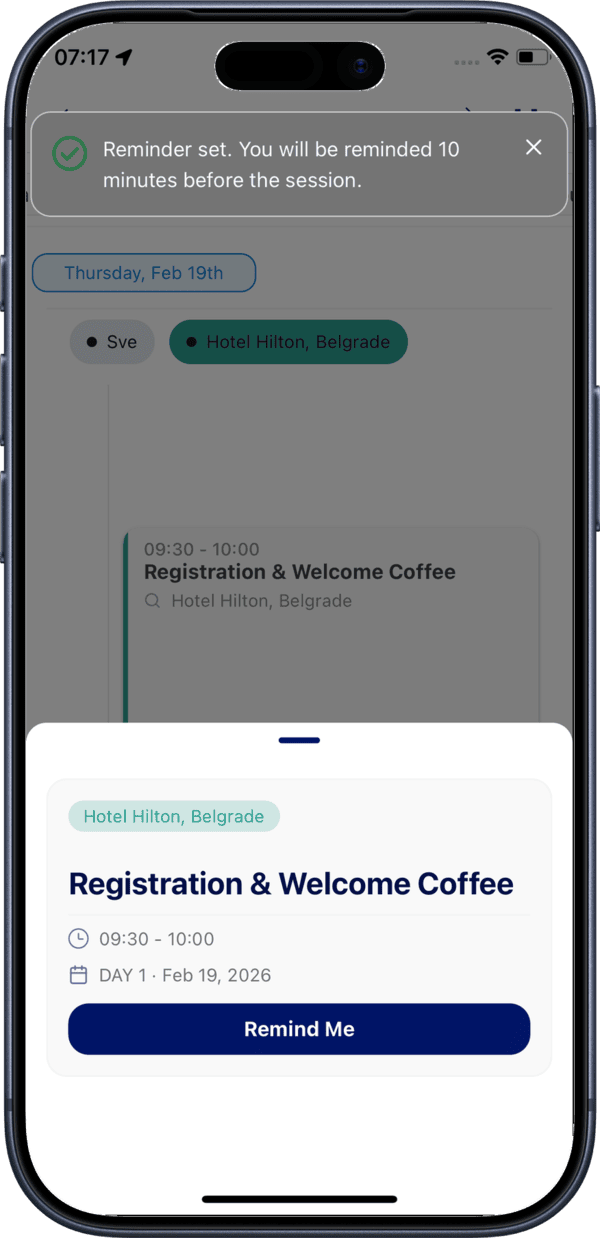
A confirmation message appears once the reminder has been successfully activated.
Notification Permissions
Make sure notification permissions are enabled for the RU4M app so you receive session reminders on time.
Calendar Integration
If you have a connected calendar, adding sessions to your calendar gives you an additional layer of scheduling alongside in-app reminders.