Edit Interests
Select and manage your professional interests on RU4M. Interests help other users discover you and find common ground for networking.
Prerequisites
- A registered RU4M account
Steps
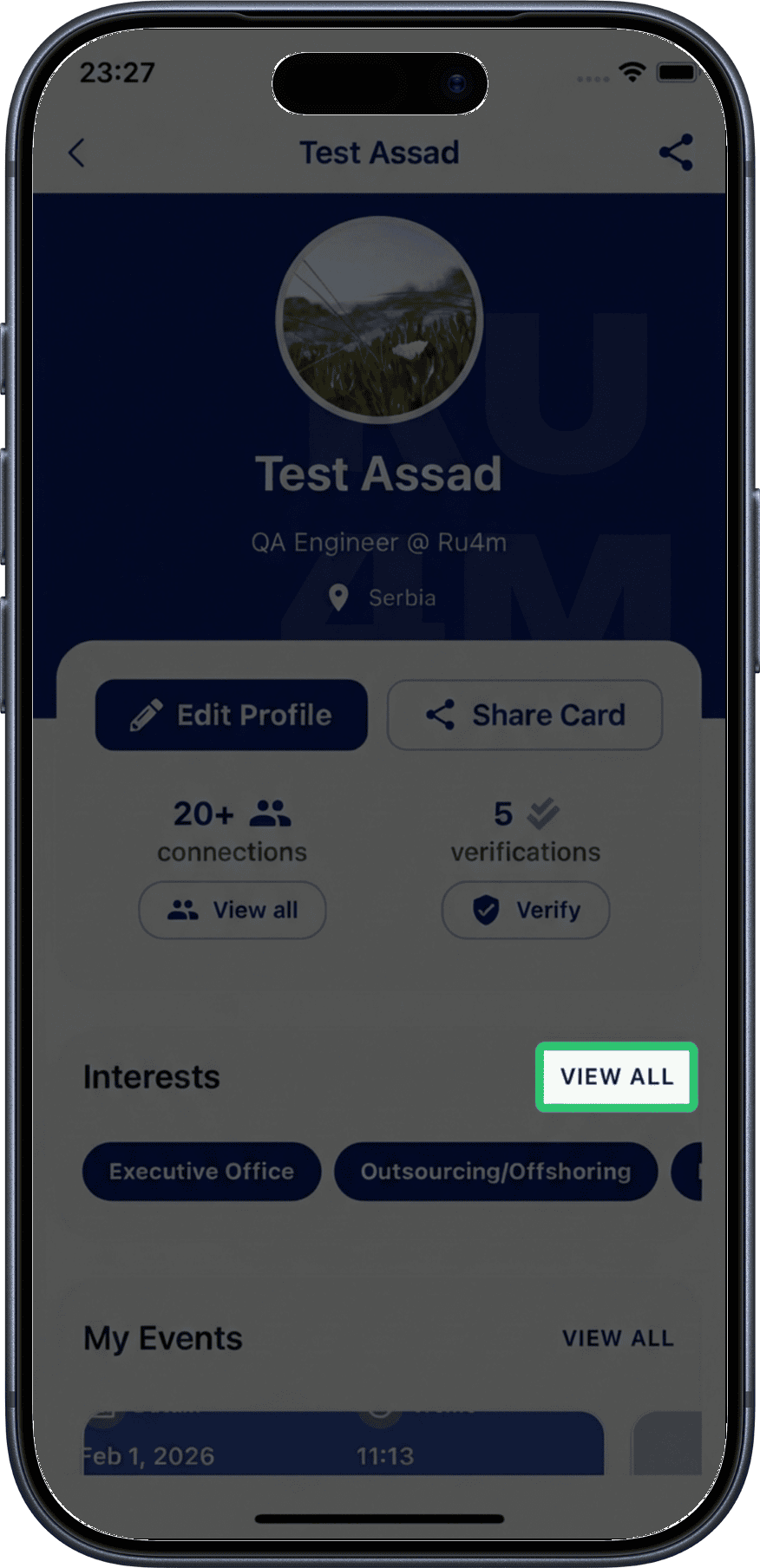
1. Tap View All
From your profile screen, scroll to the interests section and tap View All to see all available interests.
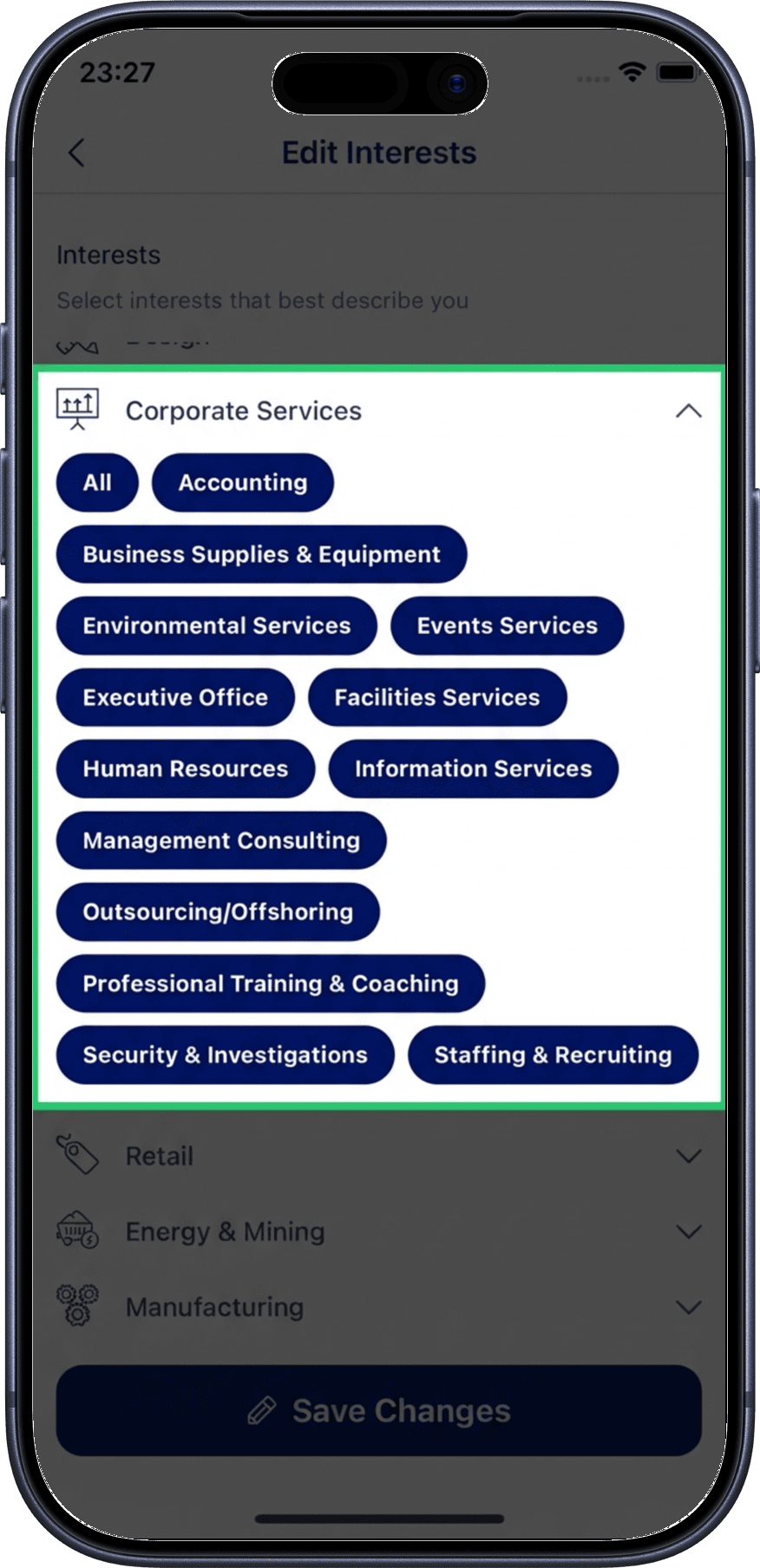
2. Select or deselect interests
Browse the available interests and tap to select or deselect them. Selected interests will be highlighted.
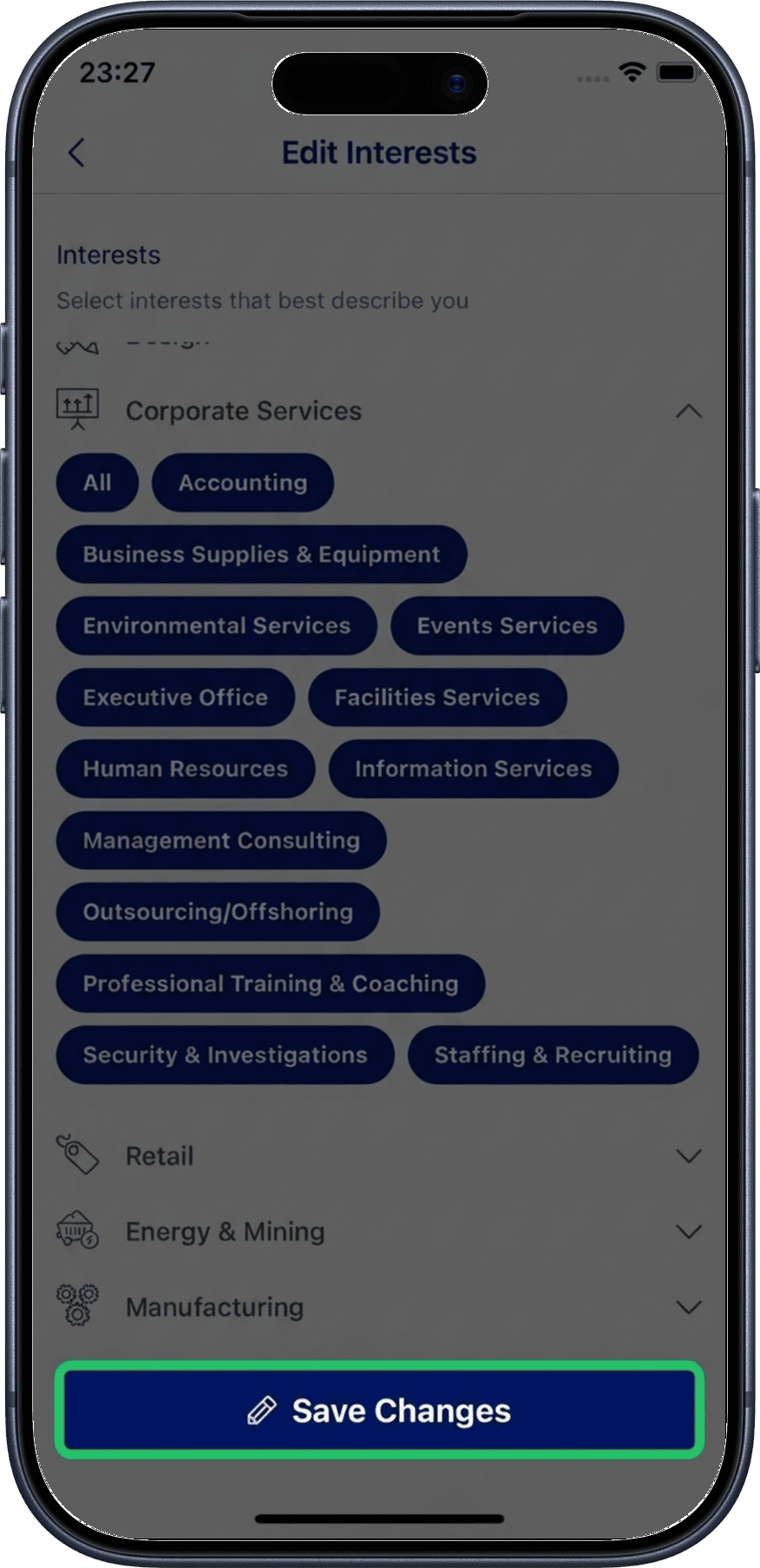
3. Save changes
When you're done selecting your interests, tap Save Changes to update your profile.
Tips
- Select interests that accurately reflect your professional expertise and goals
- Choose a mix of broad and specific interests for better discoverability
- Review and update your interests periodically as your career evolves
- Shared interests with other users make it easier to find networking opportunities
Better networking matches
The more relevant interests you select, the more likely you are to appear in other users' search results on the Explore map.
Related
- My Profile — View your full profile
- Edit Profile — Update your profile information
- Professionals Nearby — Filter professionals by interests